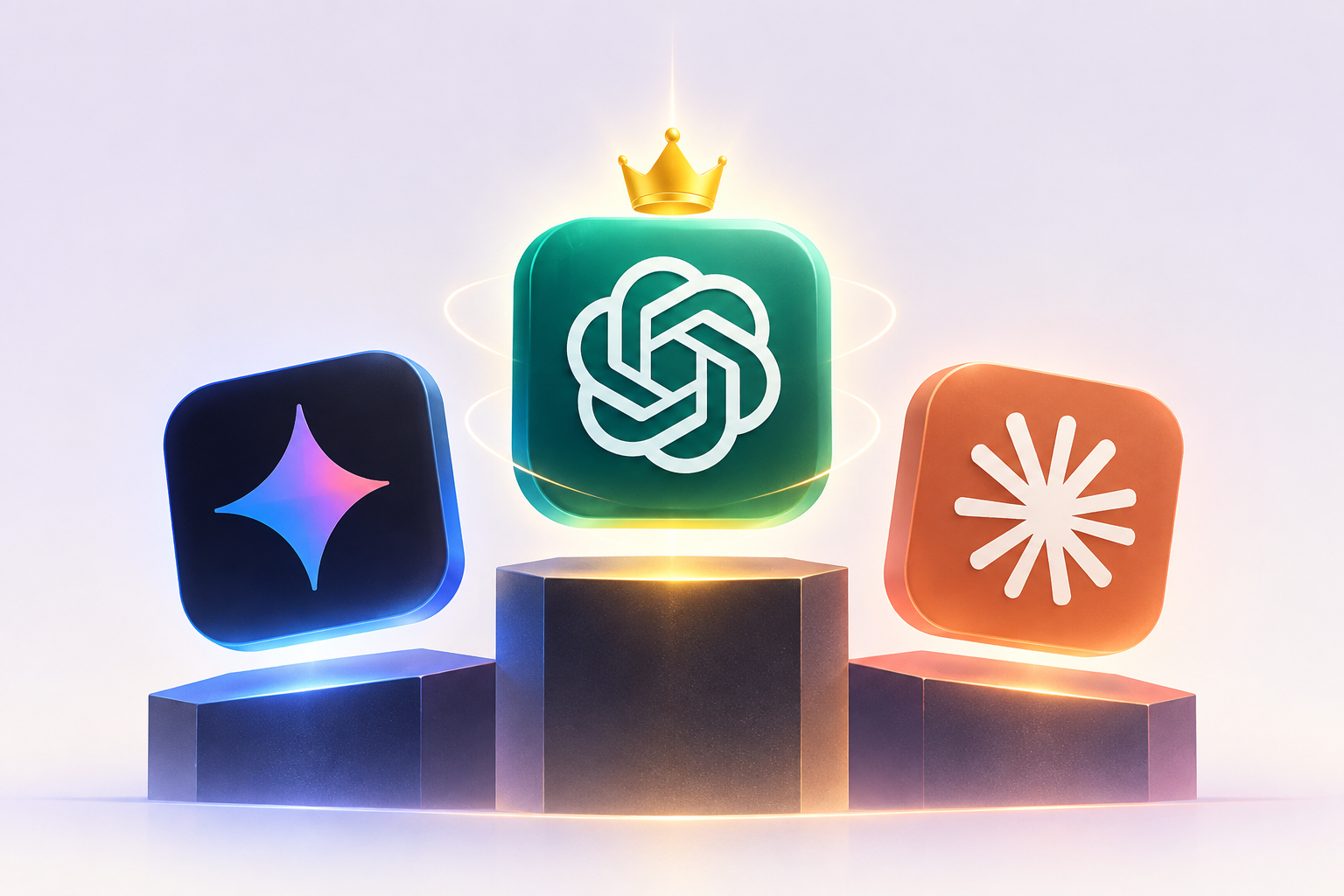
Gemini 3 vs GPT-5.5 vs Claude: Which Is Best in 2026
Ask ten people which AI is best in 2026 and you get ten confident, contradictory answers. The truth is quieter. Gemini vs GPT vs Claude is not one race with one winner, it is three tools that pull ahead on different jobs. I have spent the year moving between all three for writing, code and research, and my honest take is that the "best AI" question is the wrong question.
The right question is: best for what. Google Gemini, OpenAI ChatGPT and Anthropic Claude are built by three very different companies (Google DeepMind, OpenAI and Anthropic) with three very different priorities. One optimizes for reach and images. One optimizes for polish and ecosystem. One optimizes for careful reasoning and long context.
So this is a task by task breakdown, not a leaderboard. I name a winner per need, I give each tool an honest weakness, and I keep every verdict hedged to "as of 2026" because these models update every few weeks. By the end you will know which one to open for your next real task.
A quick reality check before we go further. The three tools are closer than any marketing wants you to believe. For a plain question, a summary, a bit of code or a first draft, all three give you a good answer, and a normal person could not reliably guess which model wrote which. The differences that matter are at the edges and in the details of how each product is built around the model. That is where I spent my testing, and that is what actually changes your day to day.
The quick verdict: best AI for each job
Here is the short version before the detail. If you only read one section, read this one.
- Best all-rounder: ChatGPT (GPT-5.5). The most polished general assistant, with the widest ecosystem.
- Best for long writing: Claude. Natural prose, holds tone over thousands of words, fewer robotic tics.
- Best for coding: Claude, closely chased by GPT-5.5. Both are excellent, Claude's long context helps on big codebases.
- Best for research with sources: ChatGPT and Gemini tie, because both search the live web well and cite as they go.
- Best for images: Gemini 3, thanks to the Nano Banana image models.
- Best free option: Gemini, on generosity of the free tier and Google integration.
- Best for privacy-conscious work: Claude, by reputation and default posture.
My one line: if you want a single subscription and never want to think about it again, pay for ChatGPT. If you care about writing quality or feed the model long documents, pay for Claude. If you want to spend nothing, live in Gemini.
How I compared Gemini, GPT and Claude
I compared these three on evergreen dimensions that do not change every time a new model number ships. Benchmark scores age in weeks. The shape of each product does not.
The dimensions I weighed: free access, ease of use, writing quality, reasoning and math, coding, research and sources, image generation, context length, privacy posture, and price. I ran the same real prompts through each tool, the kind of prompts a normal person actually types, not trick puzzles designed to make one model look clever.
One honest caveat. I am comparing moving targets. As of 2026 the flagship names are Google's Gemini 3 family, OpenAI's GPT-5.5 (with GPT-5.6 rolling out to some users), and Anthropic's Claude Opus 5 and Sonnet 5 line. By the time you read this the numbers may have ticked up again. What rarely changes is the personality of each product, and that is what I graded. If you want the deeper split on the same three tools, I keep a running ChatGPT vs Claude vs Gemini breakdown that goes feature by feature.
Head to head: the 2026 comparison table
One table, ten dimensions, three tools. Read it as a starting map, not a final ruling, because your specific job can flip a row.
| Feature | Gemini | ChatGPT (GPT) | Claude |
|---|---|---|---|
| Maker | Google DeepMind | OpenAI | Anthropic |
| Flagship (2026) | Gemini 3 Pro | GPT-5.5 / 5.6 | Claude Opus 5 |
| Free tier | Very generous | Generous | Limited but usable |
| Ease of use | Great, lives in Google | Great, most familiar | Great, cleaner focus |
| Writing quality | Good | Very good | Best in class |
| Reasoning and math | Very strong | Very strong | Very strong |
| Coding | Strong | Excellent | Excellent |
| Research and sources | Excellent, live search | Excellent, live search | Good, more cautious |
| Image generation | Best (Nano Banana) | Strong, built in | None native |
| Context length | Very long (1M class) | Long | Very long (1M class) |
| Signature feature | Nano Banana, Google apps | Memory, custom GPTs | Artifacts, long context |
| Price feel | Best value | Standard | Standard, worth it |
Notice how tight the middle rows are. Reasoning, math and general chat are close enough in 2026 that most people cannot tell the three apart on a typical question. The gaps open at the edges: images, price, writing polish and very long documents.
Google Gemini 3: strengths and honest weaknesses
Gemini is the best-value AI in 2026 and the one most people already have access to without knowing it. If you use Gmail, Android, Docs or Google One, Gemini is baked in. That distribution is a real advantage, not a footnote.
Its biggest genuine edge is images. The Nano Banana family (Google's playful name for its Gemini image models, including the Pro tier that renders legible text and near 4K detail) is the best image generator I have used inside a chat assistant. I can describe a scene, drop in a reference photo, and get consistent, editable results. For anyone making thumbnails, mockups or social posts, that alone can justify choosing Gemini.
Gemini is also excellent at research that touches the live web, because it pulls from Google Search in real time. Ask it something current and it grounds the answer with links. For a beginner, the fact that it sits right inside tools you already open is a huge on-ramp. I walk through the setup in this guide on how to use Google Gemini.
There is also the practical matter of reach. Gemini shows up inside Gmail as a helper, inside Docs to draft and rewrite, inside Sheets to explain formulas, and on Android as the assistant. For a beginner who feels intimidated by opening a separate AI app, that ambient presence removes the biggest hurdle, which is simply remembering to use the thing. The learning curve is close to zero because the tool comes to you.
The honest weakness: Gemini's writing can feel a touch generic next to Claude, and it sometimes over-explains simple things. It has improved a lot, but for long-form prose it is my third choice of the three. My opinion, and some will disagree, is that Google still tunes Gemini to be safe and helpful in a way that sands off personality. It answers correctly, then keeps talking when a sharper tool would have stopped.
Quotable line: Gemini is the AI you already own, and Nano Banana is the reason you might stop paying for a separate image tool.
OpenAI ChatGPT (GPT-5.5): strengths and honest weaknesses
ChatGPT is the default that most of the world reaches for, and in 2026 that reputation is earned rather than coasting. GPT-5.5 arrived as the smartest, most intuitive model OpenAI had shipped, better at understanding a messy request and carrying more of the task itself, with GPT-5.6 extending the family further.
What ChatGPT does best is feel finished. The app is the most polished of the three, the voice mode is smooth, and the ecosystem is unmatched. Custom GPTs let you build a tuned assistant without code. Memory lets it remember your preferences, past chats and even reference your files for more personal answers. For a lot of people that memory is the killer feature, because the assistant stops feeling like a stranger every session.
It is also a genuinely strong researcher and coder. It searches the live web, writes and debugs code well, builds documents and spreadsheets, and moves across tools until a job is done. For everyday knowledge work it is the least surprising choice, and least surprising is a compliment here.
The ecosystem point deserves its own sentence, because it is the quiet reason ChatGPT keeps winning defaults. Custom GPTs, voice, image generation, data analysis, connectors and memory all live under one roof, so you rarely have to leave. For a small business owner or a solo professional, one subscription that does most jobs competently beats three specialist tools you have to juggle. Convenience compounds.
The honest weakness: on very long documents I still trust Claude more to hold the thread, and ChatGPT's free tier, while good, is less generous than Gemini's. I also find it can be a little eager to please, agreeing with a bad premise instead of pushing back. When I deliberately gave it a flawed plan, it tidied up my mistake rather than telling me the plan was wrong, and that is a habit worth watching for.
Quotable line: ChatGPT is the tool you recommend to your parents and still keep open yourself.
Anthropic Claude: strengths and honest weaknesses
Claude is the writer's AI and, quietly, one of the best coders. Anthropic tuned Claude to sound human, reason carefully and handle enormous amounts of text at once, and in 2026 those three things are its whole personality.
Writing is where Claude pulls clearly ahead for me. It holds a tone across thousands of words, resists the listicle-everything habit, and needs less editing to sound like a person wrote it. Pair that with a context window in the million-token class, roughly thousands of pages, and you can drop an entire book, contract or codebase into one chat and ask questions across all of it.
Artifacts is the feature I miss most when I leave Claude. It opens your generated document, code or chart in a live side panel you can edit and iterate on, instead of scrolling back through the chat. For coding, the combination of long context plus Artifacts makes big refactors far less painful. If you are new to it, I wrote a plain guide on how to use Claude AI.
Claude's reasoning also has a specific flavor I have grown to rely on. It thinks before it commits, shows its working when you ask, and tends to flag its own uncertainty instead of bluffing. On a hard analysis task where I care more about being right than being fast, that habit saves me from confidently wrong answers. Anthropic built the model to be careful, and the carefulness shows.
The honest weakness: Claude has no native image generation, its free tier hits limits fastest, and it is the most cautious of the three, sometimes refusing or over-hedging where the others just answer. My contrarian take: that caution is a feature, not a bug, because the answers I get are more trustworthy, but I understand why it frustrates people who just want the thing done. If you value speed and a permissive assistant over careful reasoning, Claude will annoy you.
Quotable line: Claude writes like it read your draft twice before replying, which is exactly what you want from a writing partner.
Best AI for writing in 2026
Claude wins writing, with ChatGPT a close second and Gemini third. If your work lives or dies on prose quality, I would pay for Claude before the other two.
The difference shows up in long pieces. A blog, a report, a chapter, a careful email to a difficult client. Claude keeps voice consistent and avoids the tell-tale AI rhythm where every paragraph has three items and a neat summary. ChatGPT writes very well too and is faster for brainstorming, headlines and quick reformatting, so if you draft in short bursts it may suit you better.
Gemini is fine for functional writing, notes, summaries and first drafts, and its Google Docs integration is convenient. For me it is the one I reach for last when the writing itself is the point. One practical tip: draft in Claude, then paste into ChatGPT and ask it to punch up the opening, because the two models have different strengths and the handoff produces better copy than either alone.
Quotable line: For anything over a thousand words that a human will actually read, Claude is my default.
Best AI for coding in 2026
Coding is a near tie between Claude and ChatGPT, and honestly you cannot go wrong with either. Gemini is strong and improving, but the top two are a step ahead for real projects.
Claude's advantage is context and Artifacts. Feeding it a large codebase in one prompt, then editing the output live, makes multi-file work smoother. GPT-5.5 is especially good at agentic coding, where the model plans, writes, runs and fixes across tools until the task finishes, and its ecosystem of integrations is deep. If you already work inside a particular editor or platform, pick the one that plugs in cleanly.
For a beginner learning to code, I would start on whichever free tier you can access most, because the gap between them matters far less than the gap between using AI and not using it. Both explain errors clearly and both write clean starter code, and both will patiently walk you through why something broke instead of just handing back a fix.
One workflow note from my own projects. For a small script or a single function, any of the three finishes the job. For a real repository with many files, Claude's ability to hold the whole thing in context, plus Artifacts for editing the output live, genuinely reduces the back and forth. Gemini earns its place here too if your code lives in Google's cloud tools, because the integration is tight and the context window is large.
Quotable line: Claude and ChatGPT trade the coding crown by the month, so bet on your workflow, not the benchmark.
Best AI for study and research
ChatGPT and Gemini tie for research, because both search the live web and cite as they go, while Claude is the more careful reasoner once you feed it the sources yourself.
For current events, prices, papers and anything after the model's training cutoff, Gemini's tie to Google Search and ChatGPT's built-in search both shine. They fetch, summarize and link. Gemini has a slight edge on freshness given its search backbone, while ChatGPT often organizes findings more readably.
Claude is the one I trust most to reason over a document I already have. Drop in a 200-page PDF and ask it to compare two sections, and its long context and careful style pay off. For students juggling readings, notes and revision, I broke down the full workflow in this guide to the best AI for students. My honest warning for study: never trust one model's citation blindly, because all three still occasionally invent a source that looks real.
For students specifically, the winning move is to combine them. Use Gemini or ChatGPT to gather and summarize sources, then move the readings into Claude to reason across them and draft your notes. Ask any of the three to quiz you, explain a concept five different ways, or turn a chapter into flashcards. The tool that helps you understand, not just finish, is the one worth keeping.
Quotable line: For live research use Gemini or ChatGPT, for reasoning over your own documents use Claude, and always click the link before you cite it.
Best AI for image generation
Gemini wins images outright in 2026, and it is not particularly close inside the chat assistants. Nano Banana, Google's image model family, produces the most accurate, editable and text-legible results of the three.
The Pro tier renders readable text inside images, keeps branding consistent, and pushes toward 4K, which matters if you make anything real like posters, ads or product mockups. It also pulls from Google's live knowledge to render specific real-world subjects more faithfully. ChatGPT has capable image generation built in and is perfectly good for casual visuals, so if you already pay for it you may not need anything else.
Claude has no native image generation at all, which is a clear gap if visuals are part of your work. My take: if images are even a small part of your week, Gemini earns a spot in your toolkit for that reason alone, even if you write and code somewhere else.
Quotable line: Nano Banana is the first in-chat image model I trust to spell a word correctly on a poster.
Best free AI option in 2026
Gemini is the best free AI in 2026, mostly on generosity and reach. You get strong daily access, image generation and Google integration without paying, and if you already have Google One, better tiers may come bundled.
ChatGPT's free tier is a close second and gives most people everything they need, with GPT-5.5 Instant as the default model even for free users. Claude offers a free tier too, and it is genuinely good, but it hits usage limits fastest, so heavy free users feel the ceiling sooner.
My honest advice for anyone starting from zero and spending nothing: open all three free accounts today. Run the same question through each for a week and notice which answers you keep. That personal test beats any comparison table, including mine. Plenty of professionals do exactly this at work, which I cover in the guide on how to use AI at work.
Quotable line: The best free AI is the one you actually open, so try all three before you pay for any.
What each one costs in 2026
Pricing is close enough that it should rarely be your deciding factor. As of 2026 the standard paid consumer plans for ChatGPT, Claude and Gemini all sit in a similar monthly range, roughly the price of one streaming service, with higher pro tiers for heavy users who want the biggest models and the most usage.
Where the value math tilts is the bundle. Gemini's paid access often rides along with Google One storage plans, so if you already pay Google for photos and Drive, better Gemini may already be in your account. ChatGPT and Claude are standalone subscriptions, so you are paying purely for the AI. For a business, all three sell team and enterprise plans with admin controls and tighter data settings, priced per seat.
My blunt advice: do not chase the cheapest, chase the one that saves you the most time on your actual work. Ten dollars of difference is nothing next to an hour saved each day. Pick the tool that fits your main job, keep the other two on free, and move on. Price is the last tiebreaker, not the first.
Quotable line: The subscriptions cost about the same, so buy the one that fits your work, not the one that shaves a few dollars.
How to use all three together
The power move in 2026 is not picking one, it is using all three on purpose. I keep the three open and route each task to its strongest tool, and my output is better for it.
My routine looks like this. I research and gather live sources in Gemini or ChatGPT. I draft and refine long writing in Claude. I generate any images in Gemini through Nano Banana. When I want a second opinion on a tricky answer, I paste the same prompt into a second model and compare. The free tiers make this cross-checking basically free.
You do not need three subscriptions to do this. One paid plan for your main job, plus free accounts on the other two for their specialties, covers almost everyone. My contrarian view is that loyalty to a single AI brand is a mistake in 2026, because the lead changes hands too often and each tool has a job it simply does best.
Keep the habit light so it actually sticks. Bookmark all three, pin them to your browser bar, and let the task pick the tool rather than forcing yourself to remember rules. Over a few weeks you build muscle memory: images means Gemini, long writing means Claude, quick everything means ChatGPT. That instinct, more than any benchmark, is what makes you faster than someone loyal to a single app.
Quotable line: Stop asking which AI is best and start asking which AI is best for this next task.
Frequently Asked Questions
Which AI is best overall in 2026, Gemini, GPT or Claude?
For most people ChatGPT (GPT-5.5) is the best all-rounder, because it is polished, familiar and strong across writing, coding and research. Claude wins long writing and shines on big documents and code, while Gemini 3 wins on price and images. As of 2026 there is no single overall winner, so choose by your main task.
Is Gemini better than ChatGPT?
Gemini is better for image generation through Nano Banana, for free daily use, and for anyone living inside Google apps. ChatGPT is more polished for general chat and has custom GPTs and memory. For everyday questions they are close, so the tiebreaker is images and price (Gemini) versus ecosystem and polish (ChatGPT).
Is Claude better than ChatGPT for writing and coding?
For long, natural writing, I think Claude is better, needing less editing to sound human. For coding the two are near tied, with Claude helped by a million-token-class context window and Artifacts for live editing. ChatGPT counters with strong agentic coding and a deeper integration ecosystem.
Which AI is the cheapest?
Gemini is the cheapest in practice, because its free tier is the most generous and paid access can bundle into Google One plans people already hold. ChatGPT and Claude sit at similar standard prices for their main plans. If you spend nothing at all, Gemini gives you the most, including image generation.
Which AI has the longest context window?
Claude and Gemini both offer context windows in the one-million-token class as of 2026, roughly a few thousand pages of text. That means you can drop an entire book, contract or codebase into one chat. ChatGPT's context is long and enough for most work, though the other two lead on the very largest inputs.
Which AI is best for images?
Gemini is best for images through its Nano Banana models, which render legible text, keep branding consistent and push toward 4K. ChatGPT has solid built-in image generation for casual use. Claude has no native image generation, so pick Gemini if visuals matter to your work.
Do I need to pay for any of them?
No. All three offer free tiers that cover most casual needs in 2026. Gemini is the most generous free option, ChatGPT's free tier runs the GPT-5.5 Instant default, and Claude's free tier is good but limited fastest. Try all three free before paying for one.
Which AI is best for privacy?
Claude has the strongest privacy reputation of the three by default posture, which is why privacy-conscious professionals often prefer it. That said, all three offer business and enterprise settings with tighter data controls. Always check the current data-use settings of your specific plan, because defaults change.
Recommended Blogs
Unrot teaches this the way you would actually learn it, in 5 minutes a day, so you keep up as these models change. Start free at unrot.co.