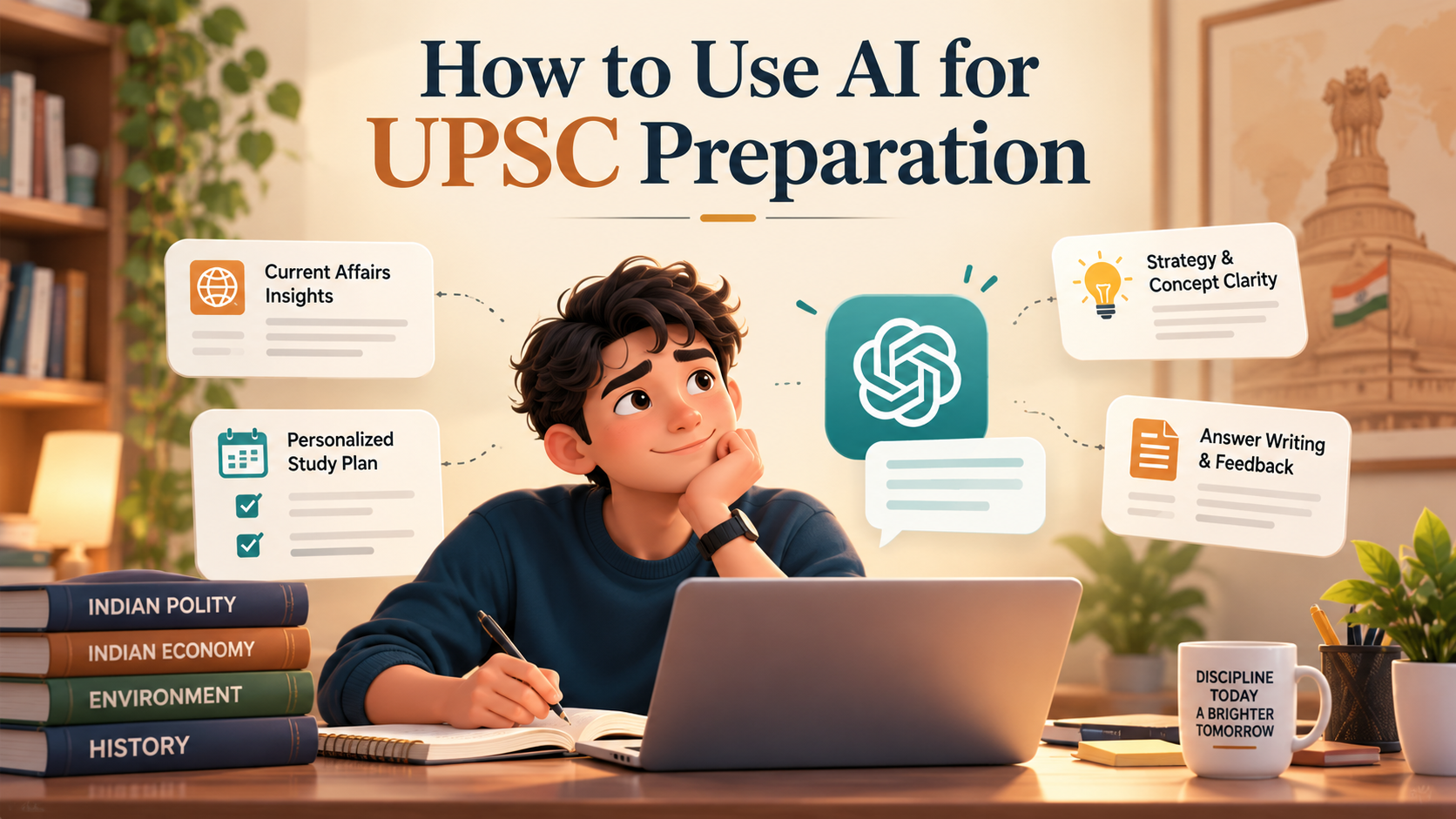
AI for UPSC Preparation: Tools and Smart Prompts (2026)
Most aspirants reach for AI for UPSC preparation the wrong way round. They ask a chatbot for the answer, copy it into their notes, and only discover in the exam hall that the article number was invented and the committee never existed. I have watched sharp students lose marks to a hallucinated fact they trusted because it sounded official. So let me set the frame before we go further: AI is the fastest study partner you will ever have, and also the most confident liar, and both of those things are true at the same time. Used well, AI tools for UPSC compress the boring parts of preparation, the summarising, the quizzing, the first draft of an answer, so you spend more time thinking and writing. Used lazily, they quietly feed you wrong facts for an exam that is nothing but facts. This guide shows you how to use AI for UPSC on the right side of that line, with the exact tools I trust, twelve prompts you can copy today, a routine that fits a real timetable, and a fact-checking habit that takes two minutes and saves your rank.
Why I wrote this guide
I keep meeting aspirants who fall into one of two camps, and both are losing. The first camp refuses to touch AI at all, calling it a shortcut for weak students, and they spend three hours making notes a tool could have drafted in three minutes so they can spend those saved hours on answer writing instead. The second camp has gone the other way and treats ChatGPT like an oracle, pasting its output straight into their GS notes without a second look, which is how a wrong year for a constitutional amendment ends up memorised. My opinion, stated plainly, is that both camps misunderstand what the tool is. AI is neither a cheat code nor a genius. It is a tireless junior assistant who reads fast, writes a decent first draft, never gets bored of your questions, and occasionally makes things up with a straight face. Once you see it that way, the whole approach clicks into place, and everything below follows from that single reframe.
I also wrote this because the advice floating around aspirant groups is either breathless hype or blanket fear, and neither helps you at your desk tomorrow morning. One video promises you can crack prelims by chatting with a bot; the next warns that AI will rot your brain and you should avoid it entirely. Both are lazy. The useful truth sits in the boring middle, in the specific rules about which tasks to hand over and which to guard, and in the small daily habit of checking facts before you trust them. So I have kept this guide concrete: real tools, tested prompts, a routine you can copy, and a verification step you can run in the time it takes to sip your tea. My aim is that you finish reading and know exactly what to do differently in your next study session, not that you feel inspired for an hour and then carry on as before.
Can AI actually help with UPSC preparation?
Yes, and meaningfully, as long as you point it at the right jobs. The honest answer is that AI helps most with the tasks that eat time without building insight. It explains a tangled concept, say the difference between the doctrine of basic structure and judicial review, in the exact register you ask for, whether that is a one-line definition or a class-ten-level walkthrough with an Indian example. It compresses a forty-page government report or a dense editorial into ten revision bullets. It generates practice questions across the entire GS syllabus so you never run out of self-tests. And it reads your mains answer and tells you where the introduction was flabby, where the body missed a dimension, and where you forgot a conclusion, which is feedback most aspirants otherwise wait days for from a mentor.
Where AI does not help is in doing the actual learning for you. Reading NCERT builds a mental map that a summary cannot transplant into your head. Sitting with The Hindu every morning trains the judgement to spot what matters, and no tool grows that judgement on your behalf. So the useful way to think about it is a division of labour. You keep the reading, the thinking, and the writing. You hand off the drudgery, the first-draft summarising, the endless quizzing, the tireless explaining. My view after watching many toppers work is that the aspirants who gain from AI are the ones who were already disciplined, because AI multiplies effort rather than replacing it. If you want a wider view of how students across streams are using these tools well, my rundown of the best AI tools for students pairs neatly with this UPSC-specific take. The quotable line: AI does not make lazy aspirants toppers, it makes disciplined aspirants faster.
Best AI tools for UPSC aspirants
You do not need ten subscriptions. Four tools cover almost everything an aspirant needs, and three of them have usable free tiers, which matters when you are studying full time without an income. Here is the head-to-head before I go deep on each, so you can pick by the job you actually have rather than by hype. Read the "best for" column against your weakest area and start there.
| Tool | Best for in UPSC prep | Free tier? | Watch out for |
|---|---|---|---|
| ChatGPT | Concept explainers, mains answer feedback, quizzing | Yes, with paid upgrade | Invents facts, dates, article numbers |
| Google Gemini | Long documents, integration with Docs and search | Yes, with paid upgrade | Still hallucinates specifics |
| NotebookLM | Turning your own PDFs and notes into grounded summaries and audio | Yes, free | Only as good as the sources you feed it |
| Perplexity | Current affairs with clickable sources you can verify | Yes, with paid upgrade | Sources can be weak, always open them |
My honest ranking for a first-time user is to start with one general chatbot, ChatGPT or Gemini, since either handles explaining, summarising, quizzing, and answer feedback, and add NotebookLM the day you have your own PDFs to work with. Bring in Perplexity specifically for current affairs, where seeing the source is the whole point. Piling on more tools than that tends to fragment your notes and your attention, and a scattered aspirant is a slow aspirant. If budget is your constraint, know that a serious free stack exists; I broke down the strongest no-cost options in my guide to free AI tools for students, and most of them apply directly to UPSC.
ChatGPT for UPSC preparation, in practice
ChatGPT is the tool most aspirants reach for first, and for good reason: it is genuinely good at explaining and drafting. Where it shines for UPSC is in three jobs. First, as a concept explainer that never tires, you can ask it to explain fiscal deficit versus revenue deficit five different ways until one lands, something no coaching teacher has the patience for. Second, as a mains answer coach, it will read your two-hundred-word answer and score it against a rubric you provide, flagging a missing dimension or a weak conclusion in seconds. Third, as an infinite question bank, it produces prelims-style MCQs and mains-style analytical questions across polity, economy, environment, and current affairs on demand.
The trap with using ChatGPT for UPSC preparation is trusting its facts. Ask it for the year of a specific amendment or the exact provisions of a scheme and it will answer with total confidence whether or not it actually knows, and sometimes the confident answer is simply wrong. My rule, which I hold without exception, is to use ChatGPT for the shape of knowledge, the structure, the logic, the framing, and to use standard sources for the specifics, the dates, the numbers, the article references. For a deeper walkthrough of the study techniques that work with any chatbot, my guide on how to study with ChatGPT covers the habits that separate productive use from note-polluting use. The quotable line: ChatGPT is brilliant at how to think and unreliable at what is true, so split the work along that seam.
Gemini, NotebookLM, and Perplexity for the rest
Google Gemini does most of what ChatGPT does, with two edges worth knowing. It handles very long inputs comfortably, so pasting an entire committee report or a full month of editorials for summarising rarely chokes it, and it sits close to Google Docs and search, which suits aspirants who keep their notes in that ecosystem. My take is that Gemini and ChatGPT are close enough that you should pick one as your daily driver and not agonise over the choice, because the discipline you build around the tool matters far more than the tool.
NotebookLM is the one I push hardest on serious aspirants, because it fixes the hallucination problem in a specific way. You upload your own sources, your NCERT PDFs, your class notes, a set of PIB releases, and it answers only from those documents, citing the exact passage. That grounding makes it far safer for revision than an open chatbot, and its audio overview feature turns your notes into a podcast-style recap you can hear on a walk. It is free, which makes the value obvious. The limit is honest: NotebookLM is only as accurate as the sources you feed it, so garbage in still means garbage out.
Perplexity earns its place for current affairs, the one area where an open chatbot is most dangerous because events change daily and models train on stale data. Perplexity answers with clickable citations, so when it tells you about a recent policy you can open the source and confirm it in one click rather than trusting a summary. For a UPSC aspirant, that verify-at-source design is the whole appeal. If you have not used it before, my walkthrough on how to use Perplexity AI shows how to phrase current-affairs queries so the sources it returns are actually credible. The quotable line: for current affairs, a tool that shows its sources beats a tool that sounds sure.
Smart prompts for UPSC you can copy today
A tool is only as good as the instruction you give it, and most aspirants get weak output because they ask weak questions. Below are twelve prompts I have refined for real UPSC work. Copy them, swap in your topic, and keep the fact-checking habit from the next-but-one section switched on the entire time. Paste each one into ChatGPT, Gemini, or Perplexity and adjust the bracketed parts.
1. Concept explainer, layered. "Explain [the collegium system] to me at three levels: a one-sentence definition, a class-ten-level explanation with an Indian example, and a UPSC-mains-level analysis with two arguments for and two against. Keep it factual and flag anything you are unsure about."
2. Compare and contrast. "Give me a point-by-point comparison of [the National Green Tribunal] and [the Central Pollution Control Board] across mandate, powers, composition, and limitations, in a format I can revise quickly. Note any point where you are not confident so I can verify it."
3. Current-affairs summary, sourced. "Summarise the key facts and the UPSC-relevant angles of [this month's monetary policy decision] in ten bullets. Cite a source for each factual claim so I can open and check it before I note it down."
4. Editorial to revision notes. "Here is an editorial from The Hindu. Turn it into eight revision bullets covering the issue, the arguments on each side, the data mentioned, and the likely mains question it could feed. Do not add facts that are not in the text."
5. Mains answer feedback against a rubric. "Act as a UPSC mains evaluator. Here is my 250-word answer to [question]. Score it out of 15 on introduction, structure, content depth, multidimensionality, and conclusion. Give me two specific fixes for each weak area. Do not rewrite the whole answer, coach me to improve it."
6. Answer skeleton, not full answer. "Give me only a skeleton for a 250-word mains answer on [topic]: a one-line intro approach, four to five body dimensions as headings, and a one-line conclusion approach. I will write the full answer myself so I actually practise."
7. Prelims MCQ generator. "Create ten prelims-style MCQs on [modern Indian history, the national movement 1919 to 1947], with four options each, the correct answer, and a one-line explanation. Mix easy, medium, and hard, and match the UPSC style of statement-based questions."
8. Active-recall quiz. "Quiz me on [Indian polity, fundamental rights] one question at a time. Wait for my answer before revealing the correct one, then tell me what I got wrong and ask the next question. Keep going for fifteen questions."
9. Essay structure builder. "I have the UPSC essay topic [quote-based topic on ethics and governance]. Give me three possible thesis angles, a suggested structure with intro, four to five body themes, and a conclusion approach. Do not write the essay, just help me plan it."
10. Memory hooks and mnemonics. "Give me simple mnemonics and memory hooks to remember [the sequence of constitutional amendments related to fundamental rights]. Keep them accurate, and if a hook forces a factual error, drop it rather than mislead me."
11. Answer-writing vocabulary upgrade. "Here is a paragraph from my mains answer. Rewrite it to be crisper and more analytical without adding any new facts, and show me the before and after so I learn the edit, not just copy it."
12. Syllabus mapping. "Map the topic [climate finance] to every place it could appear in the UPSC GS syllabus across prelims and mains papers, and list the three most likely question framings. Mark any mapping you are unsure about."
Notice the pattern in every prompt: I ask the model to flag its own uncertainty, and I never ask it to write the final thing I should be writing myself. The quotable line: a good UPSC prompt asks the tool to think with you, not for you.
How to build an AI-assisted study routine
Prompts scattered through a random day do little. A routine that slots AI into fixed jobs is where the time savings compound. Here is a weekday shape I recommend to aspirants, which you can bend to your own timetable. In the morning, read The Hindu the old-fashioned way, on paper or the e-paper, with a pen, because that reading builds the judgement no tool can. Then feed two or three editorials into NotebookLM or a chatbot and ask for revision bullets, so your notes are drafted while you eat breakfast. You edit those bullets yourself, which is where the fixing of errors happens and the learning sticks.
In the study block, use the chatbot as an on-demand tutor whenever you hit a concept that will not click, rather than losing twenty minutes flipping through a fat reference book for one definition. Keep a running document of every AI explanation you accepted so you can spot-check it later against the standard source. In the evening, switch the tool into coach mode: write one full mains answer by hand, then paste it in for rubric-based feedback, and rewrite the weak parts the next morning. Once a week, run a long active-recall quiz across everything you studied, and let the tool track which topics you keep getting wrong so your revision targets the gaps instead of the comfortable areas.
My strong opinion here is that the routine must protect two things from the tool at all costs: your primary reading and your answer writing. Outsource the summarising, the quizzing, and the first feedback pass, but never outsource the reading of NCERT and the newspaper, and never let the tool write the answers you are supposed to be practising, because the exam tests your hand and your head under time pressure, not the tool's. Build the routine so AI removes friction from everything except the two activities that actually earn you marks. The quotable line: automate the drudgery, guard the reading and the writing with your life.
The honest dangers of using AI for UPSC
Now the part most excited guides skip, and the reason I am cautious even as a heavy user. The single biggest danger is hallucination. AI language models generate the most likely next words, not verified truth, so they routinely produce wrong dates, fake statistics, invented committee names, misquoted article numbers, and schemes that do not exist, all delivered in the same confident tone as their correct answers. For an ordinary user that is an annoyance. For a UPSC aspirant, whose exam is a machine for testing precise facts, it is a direct threat to your rank, because a hallucinated fact memorised is worse than a gap you knew you had.
The second danger is over-reliance, the slow erosion of the very skills the exam tests. If the tool always structures your answers, your own structuring muscle weakens. If it always summarises, your own note-making and synthesis fade. The exam hall has no chatbot, and the aspirant who practised thinking will beat the one who practised prompting. My contrarian point, and I will say it flatly because too few will: AI cannot replace standard sources like NCERT and The Hindu, and anyone selling you a shortcut that skips them is selling you a lower rank. The reason is not nostalgia. It is that those sources are the ground truth against which you catch the machine's mistakes, and without having read them, you have no way to know when the confident answer on your screen is quietly wrong. Depth of reading is what makes AI safe to use, which is the opposite of the shortcut people hope for.
The third danger is subtler: currency and context. Models can be trained on data that is months or years old, so they miss recent policy changes, and they often lack the Indian context that UPSC demands, defaulting to a generic or western framing on issues that need a domestic lens. Treat every current-affairs answer from a general chatbot as a draft to verify, not a fact to note. The quotable line: an AI that is confidently wrong is more dangerous to your prep than a book that is silent.
None of this means you should fear the tool. It means you should respect what it is. A calculator does not do your reasoning, and a chatbot does not do your knowing, and the aspirants who internalise that difference get all of the speed with none of the traps. Keep the machine on a short leash, feed it good sources, question its confident claims, and it will repay you with hours you can pour back into reading and answer writing, which are the only two things that ever moved anyone up the merit list.
How to fact-check any AI answer in minutes
Because hallucination is the core risk, a fast verification habit is the single most valuable skill an AI-using aspirant can build. Here is the routine I follow, and it takes about two minutes per answer. First, flag every hard fact in the output, the dates, the numbers, the article and amendment references, the scheme names, the committee names. Those are exactly what models get wrong, and they are exactly what UPSC asks about. Second, check each flagged fact against a trusted source rather than the chatbot itself: NCERT for foundational concepts, the official UPSC syllabus for scope, PIB for government schemes and announcements, and The Hindu or the government's own site for current events. Never verify an AI claim by asking the same or another AI, since that just launders the error.
Third, prefer tools that cite sources for anything factual, which is why Perplexity and NotebookLM sit above open chatbots for fact-heavy work; when a claim comes with a link, you open the link and confirm at the source in seconds. Fourth, when a fact cannot be quickly verified, leave it out of your notes rather than betting your marks on it, because an unverified fact in your revision material is a landmine you will step on months later. I have made a compact checklist of this exact process in my piece on how to fact-check AI output in under two minutes, and I would treat that habit as non-optional for anyone using these tools for a factual exam. The quotable line: the aspirant who verifies fast can use AI boldly, and the one who does not should not use it at all.
Frequently Asked Questions
Is using AI for UPSC preparation considered cheating?
No. Using AI to understand concepts faster, generate practice questions, and get feedback on your writing is study, not cheating, in the same way that using a coaching teacher or a reference book is study. The exam is closed and offline, so what matters is that the knowledge lives in your head. The only real risk is trusting AI facts without verifying them, which hurts you, not the system.
Which is better for UPSC, ChatGPT or Gemini?
For most aspirants the difference is small enough that either works as a daily driver. Gemini handles very long documents and sits close to Google Docs, while ChatGPT has a slightly cleaner feel for back-and-forth coaching. Pick one, learn to prompt it well, and put your energy into the routine rather than the brand.
Can AI evaluate my mains answers accurately?
AI gives useful directional feedback on structure, coverage, and clarity, and it does so instantly, which is its real value. It cannot replicate a trained examiner's judgement or the exact UPSC marking scheme, so use it for fast iteration between mentor reviews, not as a final scorer. Give it a clear rubric and it becomes a sharper coach.
How do I stop AI from giving me wrong facts?
You cannot fully stop it, so you build a check around it. Ask the model to flag its own uncertainty, prefer tools that cite sources, and verify every date, number, and reference against NCERT, PIB, the UPSC syllabus, or a newspaper before you trust it. Treat unverifiable facts as unusable.
Are free AI tools enough for UPSC, or do I need to pay?
Free tiers go a long way. NotebookLM is free, and ChatGPT, Gemini, and Perplexity all have capable free versions that cover explaining, summarising, quizzing, and current affairs. Pay only if you find a specific limit, like usage caps or a more capable model, is genuinely slowing your daily routine.
Can AI help with the UPSC essay paper?
Yes, for planning and feedback, not for writing. Use it to brainstorm thesis angles, build a structure, and critique a draft you wrote yourself. Do not let it write the essay, because the paper tests your own reasoning, expression, and ability to hold an argument across pages under time pressure.
How much of my prep should rely on AI?
Think of AI as touching the support tasks, perhaps a fifth of your day, while the core, reading standard sources and writing answers by hand, stays fully human. If a tool starts replacing your reading or your writing rather than speeding up everything around them, you have crossed the line and should pull back.
Recommended Blogs
Best AI tools for students in 2026
How to fact-check AI output in under two minutes
Free AI tools for students in 2026
Want to get sharper at using AI the right way, five minutes at a time? Unrot teaches you practical AI skills in short daily lessons, so you prompt better and verify faster. Start free at unrot.co.